
How to Use a Function Waveform Generator: Setup, Operation & Best Practices
Knowing how to use a function waveform generator helps engineers create accurate signals for testing electronic devices. For example, these instruments can generate sine, square, pulse, ramp, and other waveforms. Engineers then use these signals to check circuits, test parts, and find faults. However, the results depend on more than the selected frequency and amplitude. Incorrect load settings, poor cable connections, or the wrong DC offset can change the signal at the device under test (DUT). Therefore, you should set up the generator carefully and check its output before starting a test. In addition, regular maintenance and calibration help you keep test results reliable. By following the steps below, you can set up your instrument, choose the right signal, and avoid common measurement errors.
1. How Does a Function Waveform Generator Work?
A function waveform generator creates electrical signals at selected frequencies and output levels. Many modern models use direct digital synthesis (DDS) to build a signal from stored digital data. A digital-to-analog converter (DAC) then turns that data into an analog output.
The main signal path often includes these parts:
- Reference oscillator: Provides the clock signal that controls timing.
- Phase accumulator: Tracks the signal’s phase as the waveform changes.
- Waveform memory: Stores digital values that represent the selected signal.
- DAC: Converts digital values into an analog signal.
- Output circuit: Sets the output level and drives the connected load.
As a result, the reference clock, DAC, and output circuit all affect signal quality. For example, clock errors can affect frequency accuracy. Likewise, DAC errors and output circuit limits can change the waveform’s shape or amplitude.
Common Signal Types
Different tests require different waveforms. Therefore, choose a signal that matches the purpose of your test.
- Sine wave: Useful for checking frequency response, gain, and distortion.
- Square wave: Helps test switching response and signal edges.
- Pulse wave: Supports timing tests and digital circuit checks.
- Ramp or triangle wave: Useful for testing linear response and control circuits.
- Arbitrary waveform: Lets you create a custom signal for a specific test.
However, not every generator supports every waveform or operating range. Check the instrument manual before choosing a signal.
2. How to Set Up and Use a Function Waveform Generator
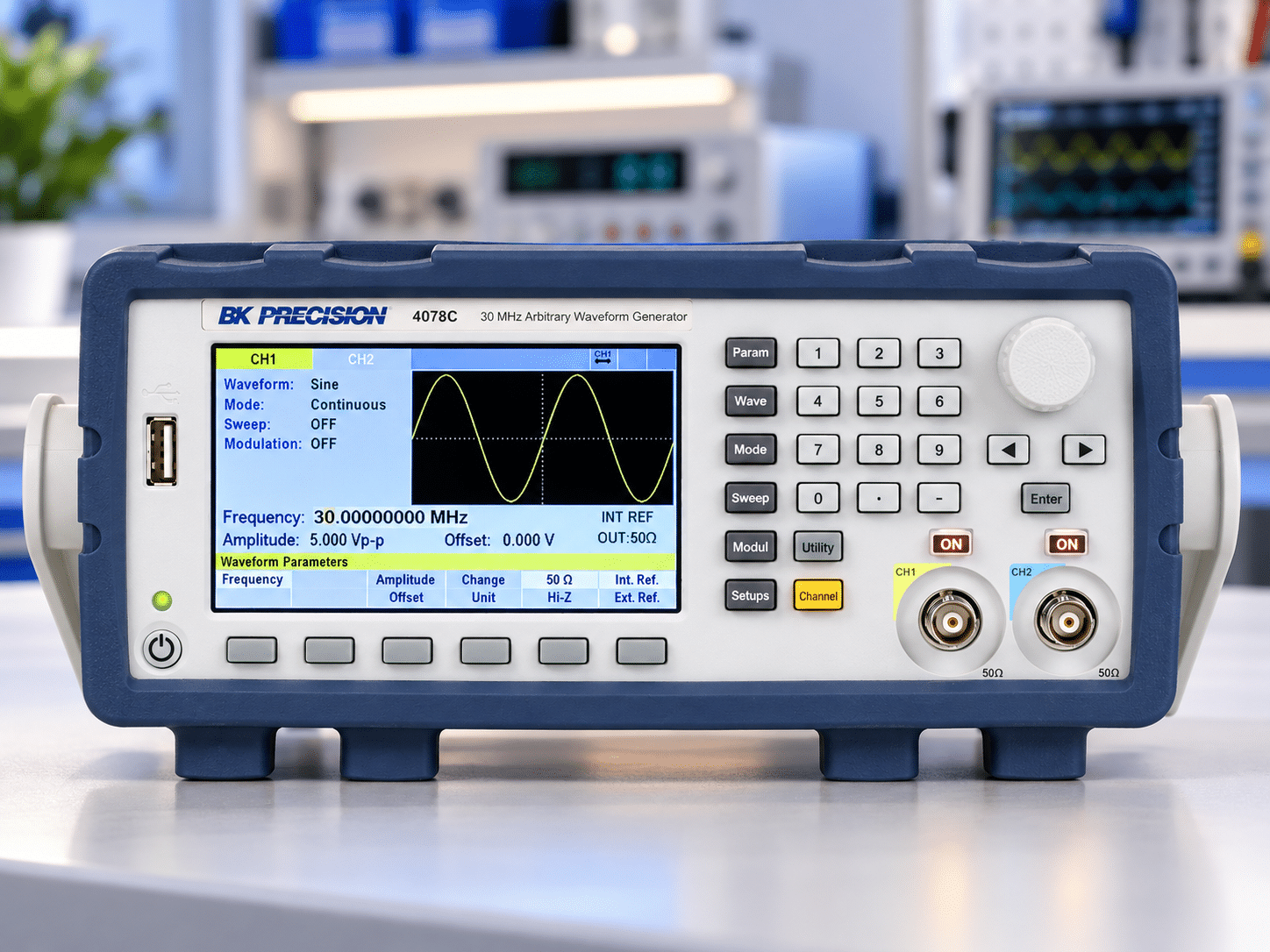
Follow these steps to create a signal and check that it reaches your circuit as expected.
Step 1: Inspect the Generator and Cables
First, check the generator’s case, display, controls, and output connectors. Next, inspect the coaxial cables for worn insulation, loose connectors, or damaged center pins.
Replace damaged cables before testing. Also, check that the connectors fit securely and that the cables suit the signal frequency and test setup.
Step 2: Power On the Instrument
Next, turn on the generator and allow it to warm up as the manufacturer recommends. Some instruments need time to reach stable operating conditions; however, the required period varies by model.
If the instrument displays a startup warning or error, review the manual before continuing. In addition, check that any connected measurement equipment is ready to use.
Step 3: Set the Output Load
Before selecting the signal, check the generator’s load setting. Many models offer a 50 Ω setting and a high-impedance setting.
For example, a generator may display twice the expected load voltage when its settings assume a 50 Ω load but you connect a high-impedance input. This behavior depends on the model and its display convention.
Therefore, match the load setting to your actual circuit and measurement setup. When necessary, check the voltage with a suitable oscilloscope to confirm the signal at the DUT.
Step 4: Choose the Waveform and Frequency
Now select the waveform that suits your test. Then, enter the required frequency and check the units before moving on.
For example, make sure you have selected hertz (Hz), kilohertz (kHz), or megahertz (MHz) as intended. A unit error can change the signal by a large amount. Also, confirm that the chosen frequency falls within the generator’s rated range.
Step 5: Set the Amplitude
Next, enter the required output amplitude. Depending on the instrument, you may set the value as peak voltage, peak-to-peak voltage, or RMS voltage.
These values are not interchangeable. Therefore, check which amplitude unit the generator uses and which value your test requires.
For a sine wave, peak-to-peak voltage is twice the peak voltage. However, the relationship between RMS and peak voltage depends on the waveform shape. Always confirm the correct value before applying the signal to your DUT.
Step 6: Set the DC Offset
If your test requires a DC offset, enter the correct value and review the full signal range. For example, a positive offset moves the waveform upward, while a negative offset moves it downward.
However, make sure the combined waveform and offset stay within the DUT’s allowed input limits. Otherwise, the signal may cause incorrect results or damage sensitive inputs.
Step 7: Enable the Output
Before turning on the output, review the waveform, frequency, amplitude, offset, and load settings. Then, connect the output to the DUT using the correct cable and termination.
After that, press the output control to enable the signal. Check the output indicator and, when needed, use an oscilloscope to confirm the waveform.
Finally, record the settings if your test procedure requires them. This record makes it easier to repeat the test and compare results later.
3. Best Practices for Reliable Results
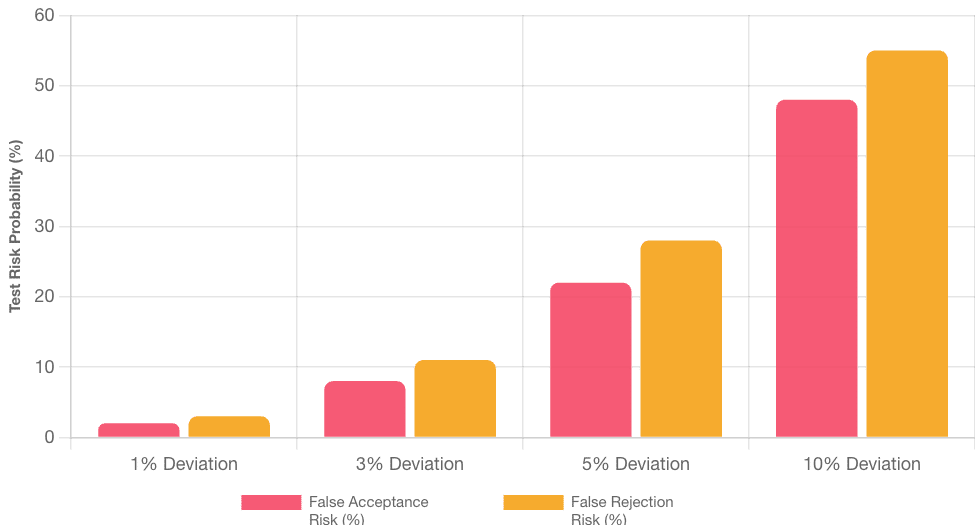
Correct setup is only the first step. To improve repeatability, use these practices throughout your testing process.
- Check settings before each test: Review the waveform, frequency, amplitude, offset, and load.
- Use suitable cables: Choose cables and connectors that match your signal and test setup.
- Verify critical signals: Use a suitable measurement instrument when the test requires confirmed output values.
- Stay within rated limits: Check the generator’s frequency, amplitude, and load specifications before use.
- Keep the instrument clean: Follow the manufacturer’s instructions for cleaning and storage.
- Track unusual readings: Record unexpected results and investigate them before relying on the test data.
- Maintain calibration records: Review calibration status and follow the interval set by your quality system.
In addition, do not assume that a successful startup check confirms full measurement accuracy. A self-test can identify some faults, but it does not replace calibration when your work requires documented measurement results.
Frequently Asked Questions (FAQs)
1. How do you use a function waveform generator correctly?
First, inspect the instrument and cables. Next, choose the waveform, frequency, amplitude, and DC offset. Then, match the load setting to your circuit and connect the output correctly. Finally, enable the signal and check it with suitable measurement equipment when needed.
2. What is the difference between 50 Ω and high-Z settings?
The 50 Ω setting assumes a load of 50 ohms, while high-Z assumes a much higher load impedance. As a result, the displayed voltage may differ between these settings even when the generator uses the same output signal. However, the exact display behavior depends on the model, so check the manual.
3. How often should a function waveform generator be calibrated?
The right interval depends on manufacturer guidance, usage, working conditions, calibration history, and measurement risk. A 12-month interval may serve as a starting point for some applications. However, a shorter interval may be suitable if the instrument sees heavy use or shows signs of drift.
4. Why does the output amplitude change when I connect a circuit?
The change may result from the load impedance, the generator’s output setting, cable losses, or the limits of the output circuit. Therefore, check the load setting first. Then, confirm the voltage at the point where your test requires it.
5. Can internal self-calibration replace accredited calibration?
No. Internal self-calibration may correct certain errors within the instrument, but it does not necessarily verify performance against external reference standards. Therefore, arrange suitable calibration when your quality system or customer requirements call for documented results.
Conclusion
Knowing how to use a function waveform generator helps you create suitable signals and avoid common test errors. First, check the instrument and cables. Next, set the waveform, frequency, amplitude, load, and DC offset. Finally, verify the output when your test requires it. By following these steps and keeping clear records, you can improve test consistency and spot problems sooner. In addition, regular maintenance and suitable calibration help support reliable results throughout the instrument’s working life.
Function Waveform Generator Operations & Calibration
Master signal generation, load impedance matching (50 Ω vs High-Z), amplitude unit conversions, Direct Digital Synthesis (DDS) physics, and ISO/IEC 17025 accredited calibration procedures.

Calibration engineer at Techmaster Electronics, ISO/IEC 17025 accredited laboratory with 35+ years of metrology expertise.