
How to Use a Handheld Oscilloscope: Setup, Operation & Best Practices
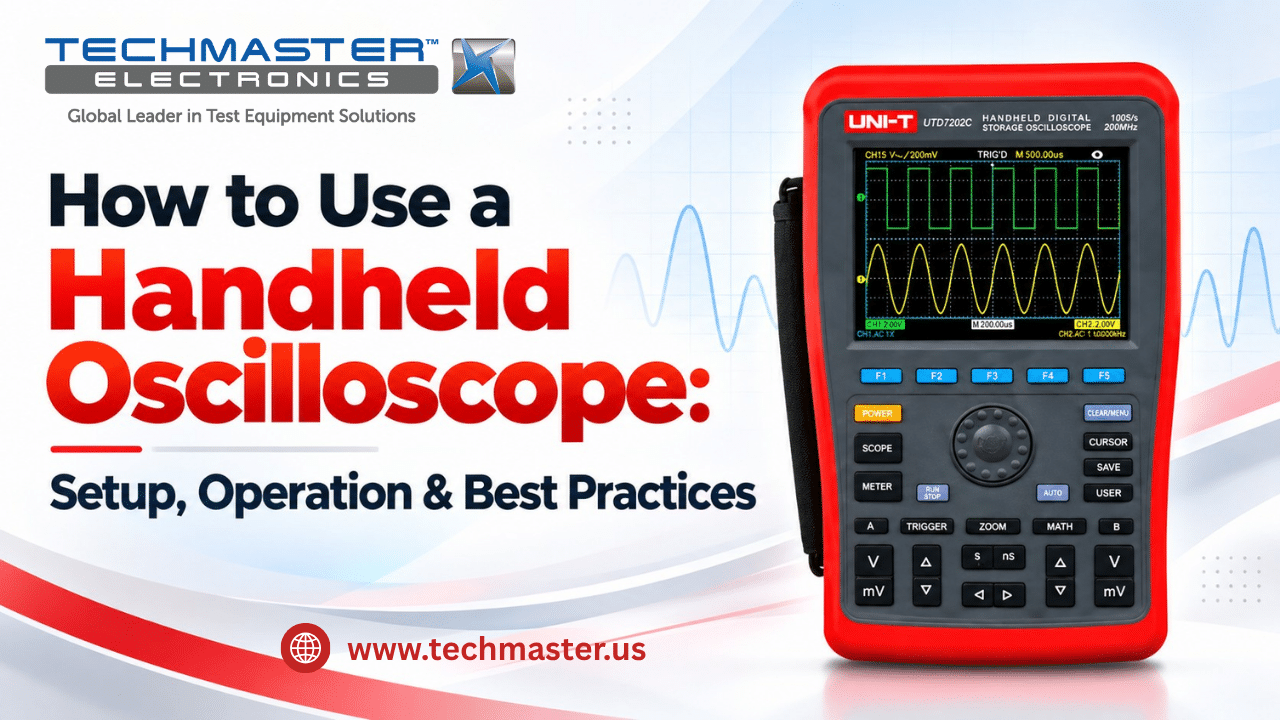
A handheld oscilloscope helps technicians view voltage signals, find faults, and check how circuits work. Unlike a bench model, this tool is easy to carry to job sites. As a result, it is useful for field service, power systems, and repair work. However, poor setup can lead to wrong readings. For example, an incorrect probe setting may change the shape of a signal. Likewise, a poor trigger setting may make the waveform hard to read. Therefore, learning how to use a handheld oscilloscope is key to safe and reliable testing. This guide explains the main parts, setup steps, common uses, and best practices.
1. How Does a Handheld Oscilloscope Work?
A handheld oscilloscope shows how voltage changes over time. First, a probe picks up the signal from a circuit. Next, the scope changes that signal into digital data. Then, the screen displays the data as a waveform. As a result, users can study signal level, timing, and shape.
1.1. Main Parts of a Handheld Oscilloscope
Most handheld digital scopes use several key parts:
- Input probe: Carries the signal from the test point to the scope.
- Input circuit: Sets the signal level before the scope reads it.
- ADC: Changes the input signal into digital values.
- Timebase: Controls when the scope takes samples.
- Memory: Stores signal data for the screen.
- Display: Shows the waveform and test results.
Together, these parts help users view fast changes in voltage. However, the scope must have enough bandwidth and sample rate for the signal under test.
1.2. Handheld Oscilloscope Signal Path
A simple signal path looks like this: Probe → Input Circuit → ADC → Memory → Display
Meanwhile, the timebase controls the sample timing. First, the probe sends the signal to the input circuit. Then, the ADC turns it into digital data. After that, the scope stores and shows the waveform.
Therefore, each stage plays a role in the final reading.
2. Where Are Handheld Oscilloscopes Used?
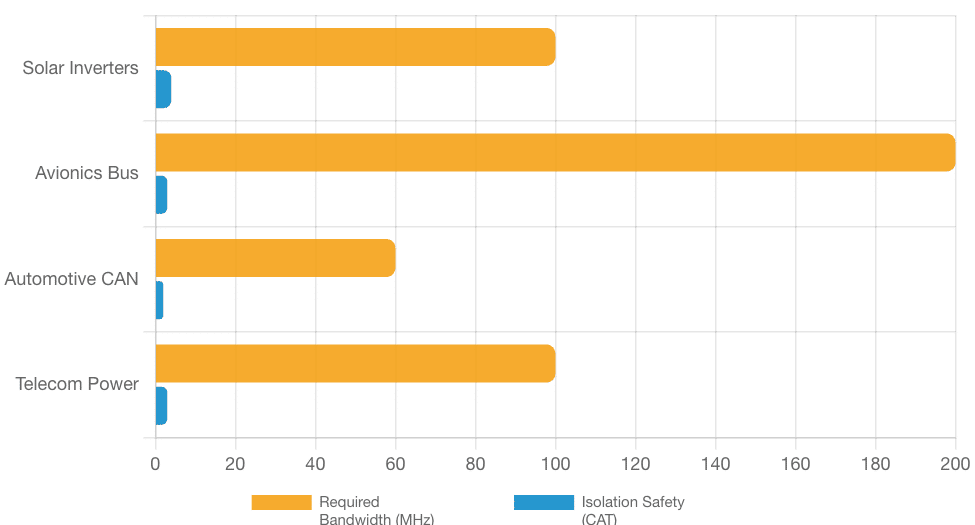
Handheld oscilloscopes help teams check signals in many work settings. For example, they are useful when moving a bench scope to the test site is not practical.
- Solar and Power Systems: First, technicians use handheld scopes to check control signals and power system behavior. In addition, they may review ripple and other changes in voltage. As a result, the scope can help them find signs of poor system performance.
- Aerospace and Avionics: Next, service teams use portable scopes to inspect signal timing and data lines. For example, they may check whether a signal has the expected shape. However, these tests require the right tools and approved work methods.
- Automotive Diagnostics: Likewise, vehicle service teams use handheld scopes to check sensors, control signals, and data lines. For example, a scope can help show whether a sensor signal changes as expected. As a result, the team can narrow down the cause of a fault.
- Telecom and Field Service: Finally, field teams use portable scopes to check power and control signals at remote sites. In addition, the compact design makes it easier to carry test tools between work areas.
Therefore, a handheld oscilloscope can be a useful part of a field service kit.
3. How to Use a Handheld Oscilloscope: Step-by-Step Guide
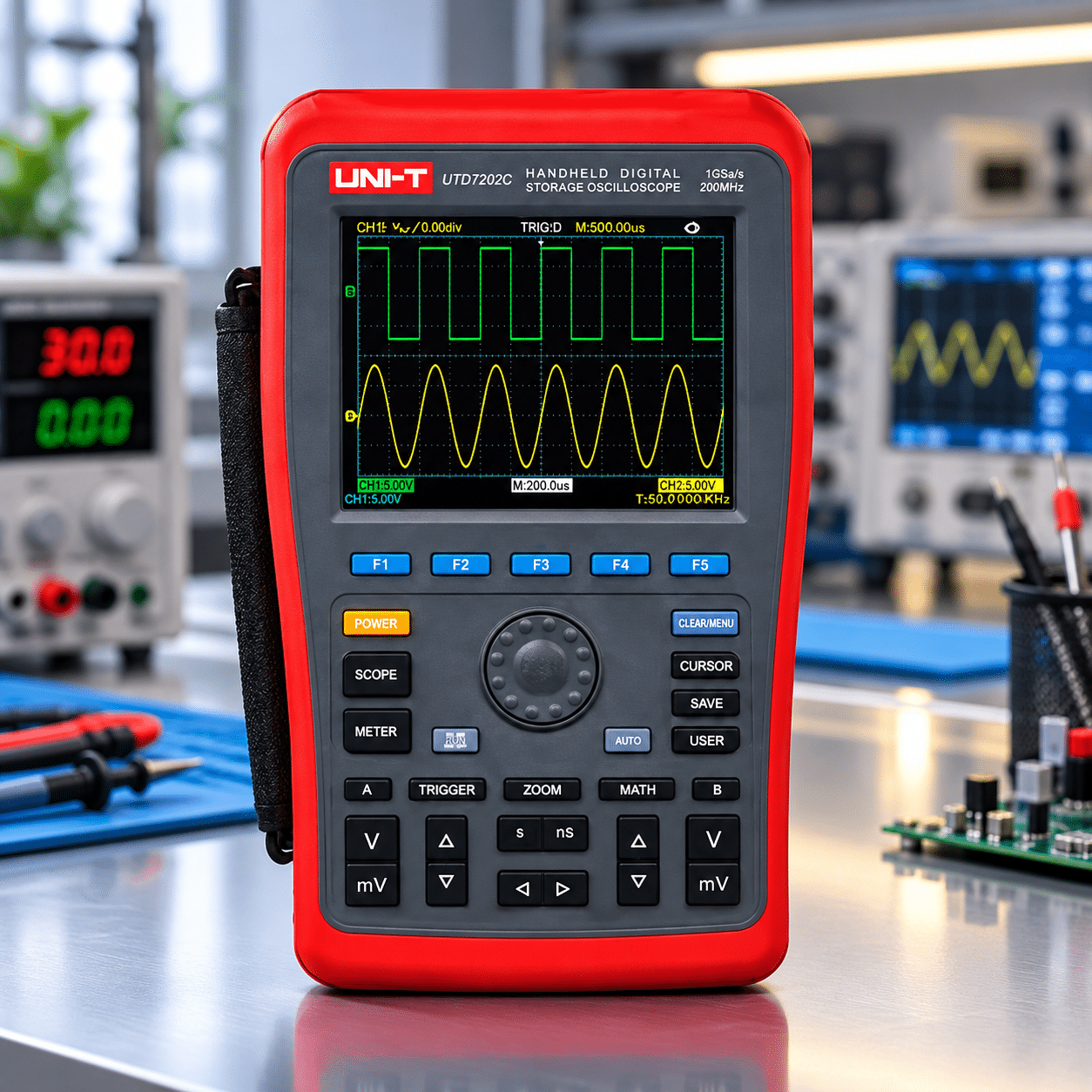
Before you begin, read the user guide for your model. Also, check that the scope and probes suit the signal you plan to measure.
Safety note: Do not connect a probe to a live or high-voltage circuit unless you have the right training, approved test method, and properly rated equipment. Also, never connect a ground lead to a point that may be at a hazardous voltage. For high-energy systems, follow site safety rules and use qualified staff.
Step 1: Check the Scope and Probes
First, look at the scope case, screen, ports, and controls.
Next, inspect the probe cables for wear or damage. Also, check that the probe tips and connectors fit well.
Then, review the probe rating and input limits. For example, some probes use 1X or 10X settings.
However, a 10X setting does not make an unsafe voltage safe. Therefore, always follow the rated limits of both the probe and the scope.
Best practice: Replace damaged test leads before use.
Step 2: Turn On the Scope and Check the Display
Next, turn on the scope and let it start as the maker directs.
Then, check the screen for error messages. In addition, confirm that the battery has enough charge for the planned test.
If the model offers a self-test, run it as the guide directs.
As a result, you can spot some basic faults before taking readings.
Best practice: Use the maker’s setup steps rather than assuming every model works the same way.
Step 3: Set the Probe Ratio
After startup, check the probe setting.
For example, if you use a 10X probe, set the scope channel to match that ratio. Otherwise, the screen may show the wrong voltage value.
Next, check whether the probe type matches the input channel.
Therefore, a correct probe ratio is one of the first steps toward a reliable reading.
Best practice: Check the probe ratio each time you change probes.
Step 4: Check Probe Compensation
Next, check probe compensation if your passive probe and scope support this feature.
First, connect the probe to the scope’s built-in test output as the maker directs. Then, view the test waveform.
A well-matched probe should show the expected square-wave shape. However, poor compensation may cause rounded corners or excess peaks.
If needed, adjust the probe using the method in its guide.
As a result, the probe can show fast signal changes more clearly.
Best practice: Repeat this check after moving a compatible passive probe to another channel.
Step 5: Choose AC or DC Coupling
Next, select the input coupling mode.
DC coupling shows both the DC level and the changing part of a signal. Therefore, it is useful when the full voltage level matters.
AC coupling blocks the DC part and lets users focus on changes in the signal. For example, it can help show a small ripple on a DC supply.
However, AC coupling can change the look of slow signals. As a result, it may not suit every test.
Best practice: Start with DC coupling when you need to see the full signal. Then, choose AC coupling only when it fits the test goal.
Step 6: Set the Vertical Scale
After that, set the voltage scale, often shown as V/div.
First, choose a range that fits the expected signal. Next, adjust it until the waveform is easy to see.
If the scale is too small, the signal may move off the screen. On the other hand, a very large scale may hide small changes.
Therefore, choose a range that shows the signal clearly without clipping.
Best practice: Use a safe range based on the expected signal and the tool’s input limits.
Step 7: Set the Timebase
Next, adjust the horizontal time scale, often shown as s/div.
This setting controls how much time the screen shows. For example, a short time scale helps users view fast signal changes.
Meanwhile, a longer time scale helps show slower events.
Therefore, adjust the timebase until the signal pattern is clear.
Best practice: For a repeating signal, aim to show enough of the waveform to judge its shape and timing.
Step 8: Set the Trigger
Next, choose the trigger source and level.
First, select the channel that carries the signal you want to study. Then, choose a trigger mode that fits the test.
For example, an edge trigger can help keep a repeating waveform steady on the screen.
If the waveform moves across the display, adjust the trigger level or mode. As a result, the trace may become easier to read.
Best practice: Use the scope’s Auto Set feature as a starting point when suitable. However, review the final settings before trusting the reading.
Step 9: Read and Save the Waveform
Finally, review the waveform on the screen.
First, check its voltage level and shape. Next, review the timing and any key changes.
In addition, use the scope’s built-in measurement tools when they fit the task. For example, many models can show frequency, period, and peak-to-peak voltage.
Then, save the waveform or test data if the scope supports that feature.
As a result, you can compare results later or share them with your team.
Best practice: Record the probe setting, channel, test point, and key scope settings with each saved result.
4. How to Check Voltage Error
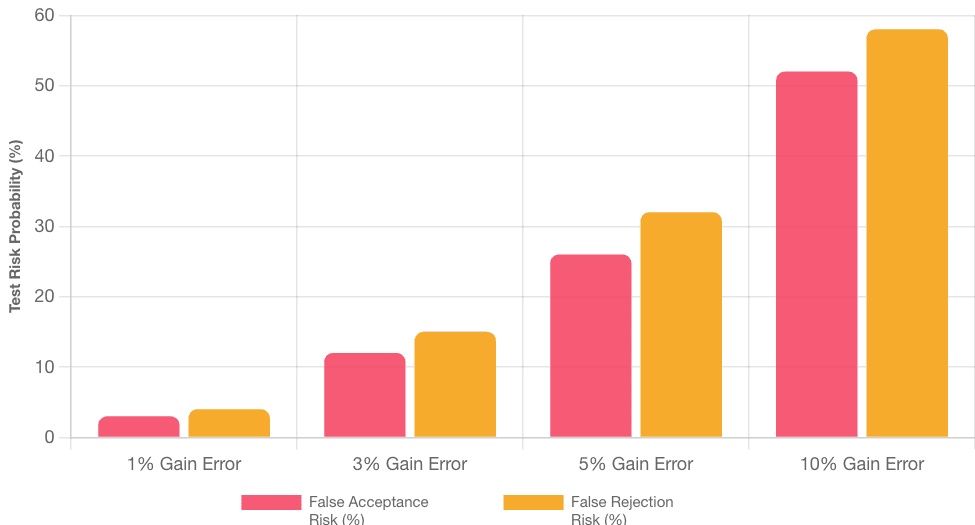
A voltage error check compares the scope’s reading with a known reference.
For example, a lab may use a suitable voltage standard to check the scope’s reading. Then, it can find the difference between the two values.
Use this formula:
Voltage Error (%) = [(Measured Voltage − Reference Voltage) / Reference Voltage] × 100
For example, suppose the scope shows 5.05 V while the reference is 5.00 V.
Voltage Error (%) = [(5.05 − 5.00) / 5.00] × 100 = 1%
Therefore, the scope reads 1% above the reference at that test point.
However, this simple check does not replace full calibration. In addition, the lab must consider the test method, uncertainty, and the limits that apply.
5. Best Practices for Reliable Handheld Oscilloscope Measurements
Good results depend on more than the scope itself. Therefore, users should follow a clear test routine.
Choose the Right Probe
First, choose a probe that suits the signal, voltage range, and test site.
In addition, check its bandwidth and safety rating. However, do not assume that every probe works with every scope.
Keep Test Leads in Good Condition
Next, inspect cables and connectors before use.
For example, worn leads may cause poor contact or unstable readings. Therefore, replace any damaged part before testing.
Review Scope Settings
Also, check the probe ratio, coupling, voltage scale, and timebase.
Then, confirm that the trigger settings fit the signal.
As a result, you can reduce errors from poor setup.
Check Calibration Status
Finally, review the scope’s calibration status before key test work.
For example, a tool with a past-due calibration date may need review under your quality rules.
However, calibration needs depend on use, past results, and test risk. Therefore, set a suitable schedule rather than using one fixed interval for every scope.
Frequently Asked Questions (FAQs)
1. How do you use a handheld oscilloscope safely on live circuits?
Using a handheld oscilloscope safely involves verifying channel galvanic isolation ratings, inspecting probe insulation for cracks, and using $10\text{X}$ attenuation probes to reduce electrical loading and protect input circuitry from high transient voltages.
2. Why is probe compensation necessary before taking measurements?
Probe compensation matches the capacitive reactance of the oscilloscope probe to the input capacitance of the scope channel. Adjusting the probe trimmer capacitor prevents signal distortion, rounding, or overshooting on high-frequency square wave measurements.
3. What is the difference between AC and DC coupling on an oscilloscope?
DC coupling displays both the alternating current signal component and any underlying direct current voltage bias. AC coupling introduces a blocking capacitor that removes the DC component, allowing technicians to view small AC ripple voltages superimposed on large DC rails.
4. How often should a portable oscilloscope be calibrated?
A portable oscilloscope should be calibrated every 12 months under standard operating conditions. Units deployed in extreme field environments, high-temperature industrial settings, or continuous multi-shift testing should be calibrated on a 6-month cycle to account for analog component aging.
5. Can internal scope self-calibration replace ISO/IEC 17025 calibration?
No, internal self-calibration routines only compensate for baseline DC offsets using internal circuit references. They cannot evaluate absolute bandwidth flatness, timebase frequency accuracy, or input attenuation linearity against external national standards.
6. Does Techmaster US offer calibration services for portable oscilloscopes?
Yes, Techmaster Electronics provides ISO/IEC 17025 accredited calibration services for handheld oscilloscopes, benchtop meters, and electronic test instruments across the United States, with laboratory and mobile on-site service options available.
Conclusion
Learning how to use a handheld oscilloscope helps technicians read signals more clearly and avoid common setup errors. First, check the scope and probes. Next, set the probe ratio, coupling, voltage scale, and timebase. Then, adjust the trigger and review the waveform. In addition, regular tool checks and a suitable calibration plan help support reliable results.
For this reason, contact Techmaster US to discuss handheld oscilloscope calibration and confirm the service options for your equipment.
How to Use a Handheld Oscilloscope: Setup, Operation & Best Practices
A handheld digital oscilloscope helps technicians view voltage signals, find electrical faults, and verify circuit performance directly at job sites. This master guide details acquisition mechanics, channel safety, probe compensation, error math, and accredited ISO/IEC 17025 calibration.

Calibration engineer at Techmaster Electronics, ISO/IEC 17025 accredited laboratory with 35+ years of metrology expertise.